Z-machine Loader
A downloadable Utility
A loader that allows you to create more attractive game distributions in the Z-machine format from Infocom. Just a second - the collection of free games in this format alone contains about 2000 projects!
It is now part of Puny-BuildTools.
Key Features
- Title screen: 320x256 pixels, 256 colors.
- Set text and background colors.
- Set text box dimensions.
- Detailed error response.
What is this for?
Z-machine games are text adventures. Files with extensions like z3, z5, and so on. Just text, nothing more. To fix this, Stefan Vogt developed the remarkable Puny BuildTools, which allows you to build runnable game images for over 20 platforms, such as the Commodore 64, Amiga, ZX Spectrum, Amstrad CPC, Atari 8-bit, MS-DOS, MSX, Apple II, and even the PC.
Before starting the adventure, the player explores the title screen, immersing themselves in the game's atmosphere. This is especially true for digital games that lack a colorful box and manual.
Until recently, Puny BuildTools couldn't add title screens to ZX Spectrum Next games. Z-machine Loader, part of this toolkit, solves this problem.
The archive contains a fully built example with a title screen and a small game.
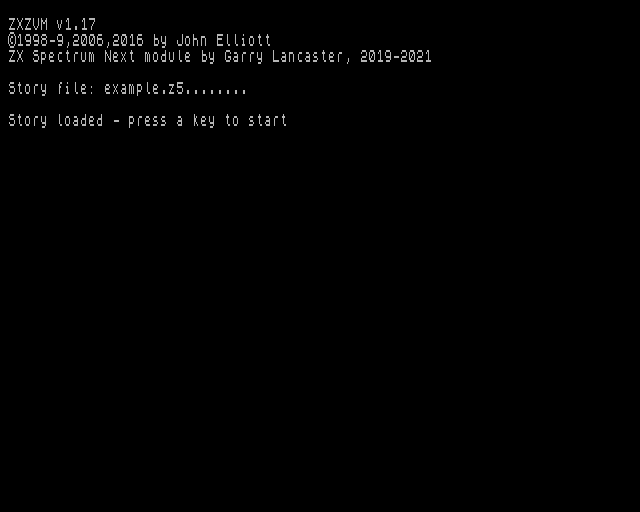
ZXZVM
This interpreter by John Elliott runs Infocom text adventures, as well as games written using the Inform language. It's thanks to this interpreter that the ZX Spectrum disk versions have a splash screen.
Garry Lancaster ported ZXZVM to the ZX Spectrum Next, and this interpreter became part of the system.
Just click on the game file, and it will launch. The interpreter was written at a time when it only had one requirement: running the game. And it does that brilliantly. But progress doesn't stand still, and Z-machine Loader took ZXZVM as a basis, adding new features.
How to use it
This is a loader written in NextBASIC. It can be customized in two ways.
- Modify the plain-text source code (loader.bas.txt), then convert it to "compressed" NextBASIC format using the txt2bas utility, or use the online tool Text 2 BASIC by Remy Sharp. The settings in the source code are provided with the necessary hints.
- Use scripts to change the necessary settings in the "compressed" loader.bas file. This method is suitable for automation using Puny BuildTools. The reference loader.bas is copied to the game directory and then modified.
Both loader versions are in the archive.
Title screen background color
- Source code line: 40 PROC getColor("%TITLE_BG%", %0) TO bColor
- Puny BuildTools: replace the substrings "%TITLE_BG%" with the desired numbers (leaving the quotation marks intact).
First 8 colors (0, 1, 2, 3, 4, 5, 6, 7): Black, Blue, Red, Magenta, Green, Cyan, Yellow, White. The next 8 colors are repeated, but they have high brightness.
Title screen image file
- Source code line: 70 PROC showTitleScreen("example.nxi")
- Puny BuildTools: Replace the substring "example.nxi" with the image file name (leave the quotation marks).
The title screen in NXI format must be 320x256 pixels with 256 colors and palette. 8-bit PNG or BMP images are acceptable as the source image. 82432 bytes.
For conversion, use the gfx2next utility with the following settings:
gfx2next -bitmap-y -pal-embed -preview example.png
These settings rotate the image for native memory placement, embed a 256-color palette, and generate a PNG preview.
The preview is especially useful because the ZX Spectrum Next palette is not very rich, some of the transition colors are lost, resulting in the image appearing with unsightly spots or dots. It would be useful to process this image, clean up the preview image, and then re-convert.
Or nextraw utility with the following settings:
nextraw.exe -columns example.bmp
Or use nice online NXI generator.
The title screen display code is based on the 320 demo by Johnny McGibbitts.
Theoretically, it's possible to load images 256x192 pixels with 256 colors. To do this, replace the contents of the showTitleScreen() procedure in the source code with a single line:
.bmpload f$
Note that in this case the image must be in BMP format and have 256 colors, for example, "example.bmp".
It would be possible to automatically select a loader based on the source image, but firstly, I don't really like the idea of leaving the border unused, and secondly, the main reason is the limited memory. I had to remove almost all comments and optimize the code. I think it's doable, but those who like long file names might encounter an Out of Memory error.
Game Text and background color
These two parameters can be changed in the interpreter itself, but for a truly immersive experience, the colors should match the game's atmosphere from the start.
I suggest choosing from the first 8 base colors (0, 1, 2, 3, 4, 5, 6, 7): Black, Blue, Red, Magenta, Green, Cyan, Yellow, White.
The interpreter highlights keywords in a brighter color, and it's best to leave this option to it.
- Source code line: 100 PROC setColors(%0, %7). The first color is paper, the second is ink.
- Puny BuildTools: replace the substrings "%GAME_PAPER%" and "%GAME_INK%" with the desired numbers (leaving the quotation marks intact).
Game Text window dimensions
ZXZVM on the ZX Spectrum Next displays text in 80-line, 32-line format. However, it's important to remember that the border on the Spectrum is not a random designation. TV screen edges of that era were rounded, and image corners were often invisible. The text window can be made smaller by increasing the border.
Four parameters control this: the coordinates of the top-left character cell (x, y), as well as the text height and width. By default, a border of one character width is added on all sides.
- Source line: 140 PROC setTextWindow(%1, %1, %78, %30)
- Puny BuildTools: no need to change this.
Percent signs indicate that the number is an integer and can save some memory and processor time.
Game File
- Source code line: 170 PROC start("example.z5")
- Puny BuildTools: replace the substring "example.z5" with the game file name (leaving the quotation marks intact).
Runnable directory
This is an interesting opportunity in NextZXOS.
When you try to enter the executable directory, the BASIC program inside it will start. The user doesn't see the directory's contents. This is a good way to allow the player to launch the game immediately, without having to select from multiple files.
There are 2 steps to achieve this:
- Add the ".run" extension to the directory, for example "GAME.run".
- Rename NextBASIC loader to "run.bas"
Useful links
- Garry Lancaster's ZXZVM interpreter is part of NextZXOS.
- 320 Demo from Johnny McGibbitts.
- Text 2 BASIC online tool by Remy Sharp.
- Offline tool txt2bas from Remy Sharp.
- gfx2next utility from Rusty Pixels.
- nextraw utility by Stefan Bylund.
- SpectraLab: ZX Spectrum graphics viewer and editor.
- Puny BuildTools utility by Stefan Vogt.
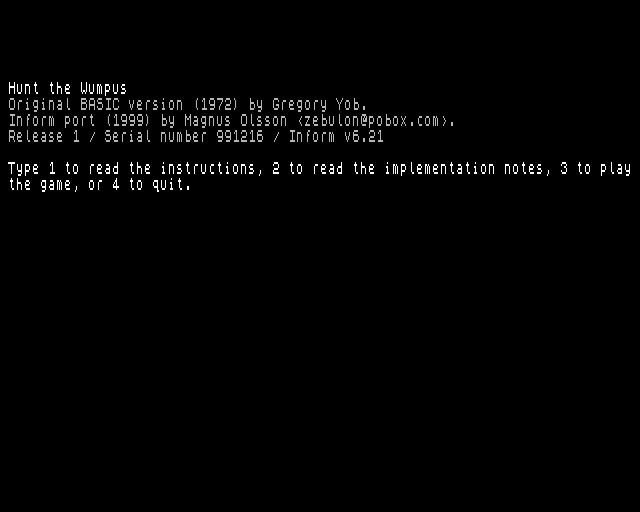
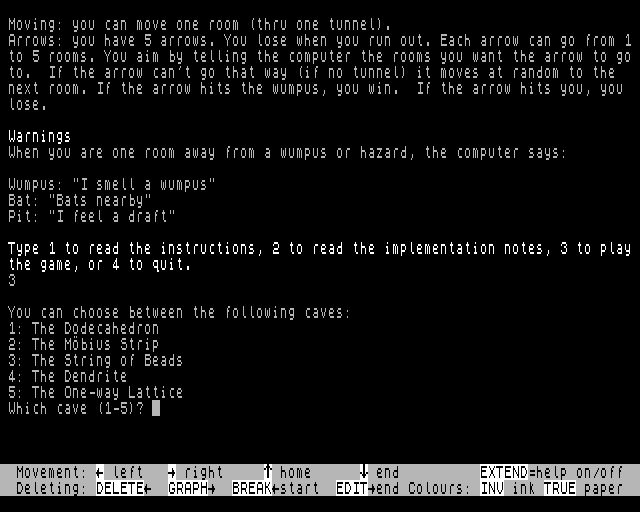
- Hunt the Wumpus by Magnus Olsson from the Z-Machine Example Repository.
- The image of the Wumpus is taken from the first page of the Hunt the Wumpus board game manual by Warp Spawn Games.
- The ZX Spectrum Next is a remarkable 8-bit computer. It is a significantly improved version of the ZX Spectrum. Facebook link.
- Z-machine Loader will be listed in the ZX Spectrum Next Database under the "applications" tab.
Thanks to everyone who read this far. I hope I haven't forgotten anyone.

Powered by NextBASIC. Version 1.04 from 2026-06-09.
Tools: Notepad++, Far Manager, CSpect, MAME, IrfanView, 7zip, Firefox.
Download
Development log
- 1.04: silent boot without image75 days ago
- 1.03: Title screen background colorMay 08, 2026
- 1.02. Soft Reset on exitMay 01, 2026
- 1.01. No gray background after the title screenMay 01, 2026

Leave a comment
Log in with itch.io to leave a comment.